Google Sheets Tips
menu-and-toolbar
How to Show Formula Bar in Google Sheets
SHARE THIS Article
You will learn how to show and hide the formula bar in Google Sheets.
What is the formula bar in Google Sheets?
The formula bar in Google Sheets is a horizontally long box located at the top of the worksheet beneath menu tabs.
The formula bar displays the contents of the selected cell, including formulas and data, and allows you to edit them there. To use the formula bar for a specific cell, you only need to select the cell.

Save hours formatting your next financial spreadsheet!
100+ templates, all free to use.
Free Spreadsheet Templates
Why do you show and hide the formula bar in Google Sheets?
Showing or hiding the formula bar in Google Sheets can be useful for different purposes, depending on the user's needs. Here are some reasons why you might want to show or hide the formula bar:
Show the formula bar:
View or edit cell contents: When you need to view or edit the contents of a cell, including formulas and data, the formula bar is essential. This is quite helpful when you need to insert a formula with a long tail because of complicated conditions or if you want to copy a part of a formula or content in a cell.
Hide the formula bar:
Maximizing screen space: If you have a small screen or need to see more of your spreadsheet data, hiding the formula bar can help you to maximize your screen space.
Prevent accidental changes: If you are sharing your spreadsheet with others or want to prevent accidental changes to the formulas or data, hiding the formula bar can be useful.
How to show the formula bar in Google Sheets
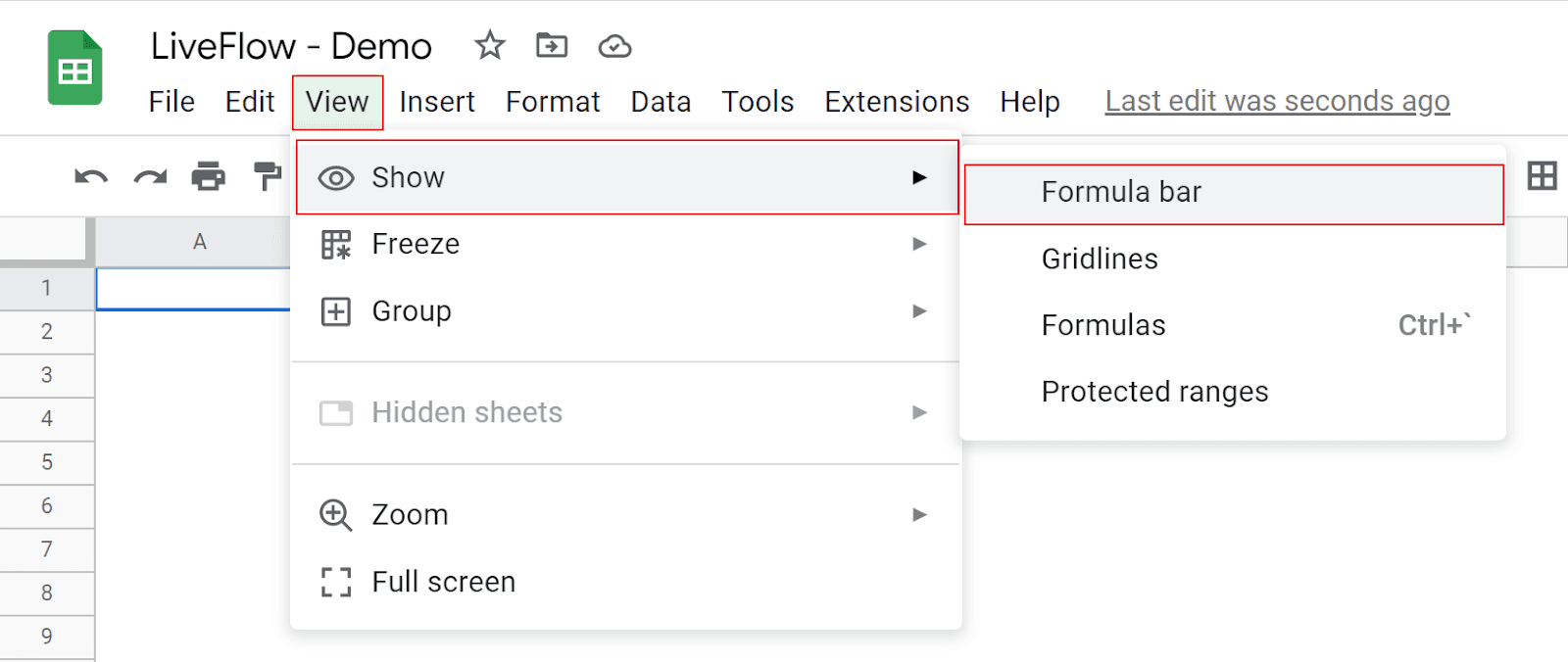
Go to the “View” tab above the toolbar.
Move on to “Show”.
Put your cursor on “Formular bar” and check it.
Level up your Google Sheets skills with our FREE LiveFlow Academy
Basic and intermediate classes live now! Earn your certificate today.
Enroll in LiveFlow Academy
How to hide the formula bar in Google Sheets
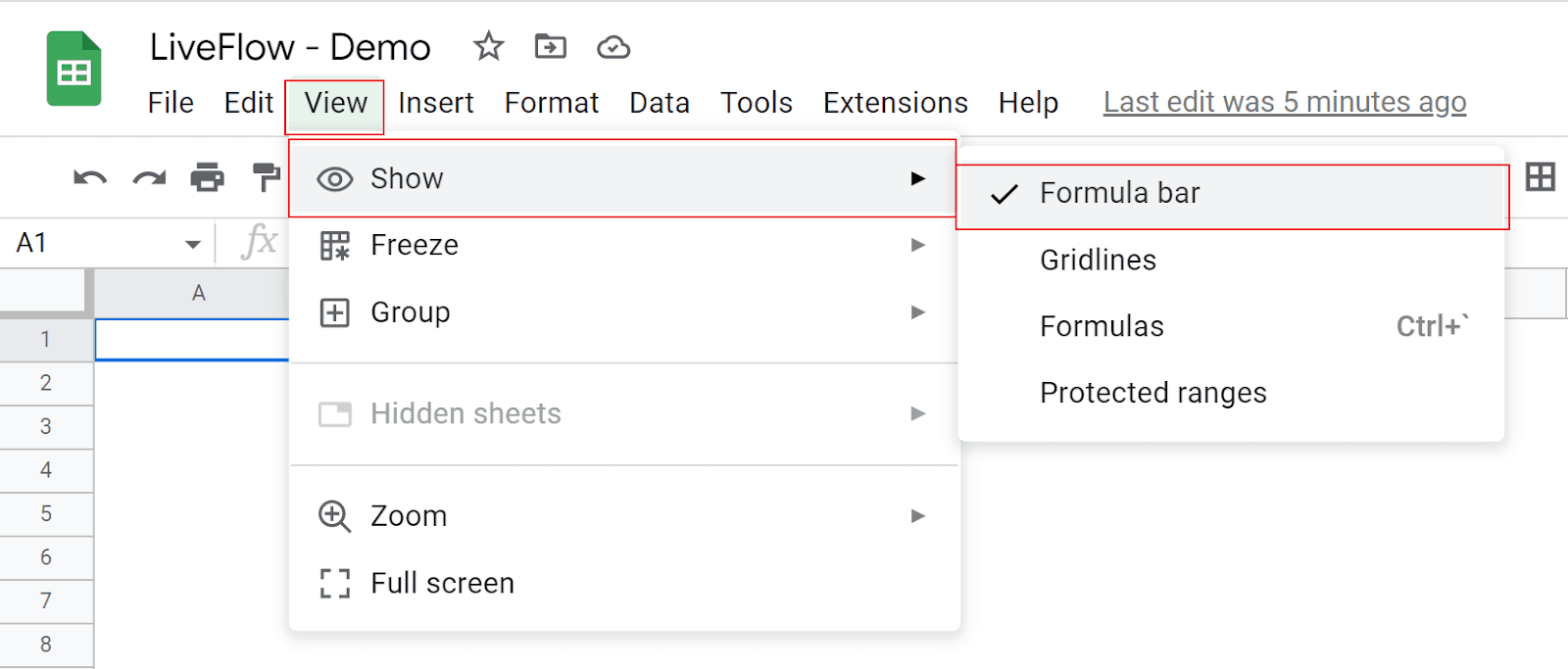
Go to the “View” tab above the toolbar.
Move on to “Show”.
Put your cursor on “Formular bar” and uncheck it.
How do you show cell formulas in Google Sheets?
Go to the “View” tab above the toolbar
Move on to “Show”
Put your cursor on “Formulas” just beneath “Gridlines” and check it
Learn how to show formulas in Google Sheets in this article: How to Show Formulas in Google Sheets.
You can also rely on the “FORMULATEXT” function, which allows you to show the entire formula incorporated in a cell. To learn about the FORMULATEXT function, read this article: How to Use FORMULATEXT Function in Google Sheets
Turn Quickbooks Online data into a Google Sheets dashboard
100+ templates, update automatically, totally secure!
Book a Demo