Settings
How to invite and manage team members in LiveFlow
SHARE THIS Article
How do I invite a team-member to my LiveFlow account?
1. Open LiveFlow
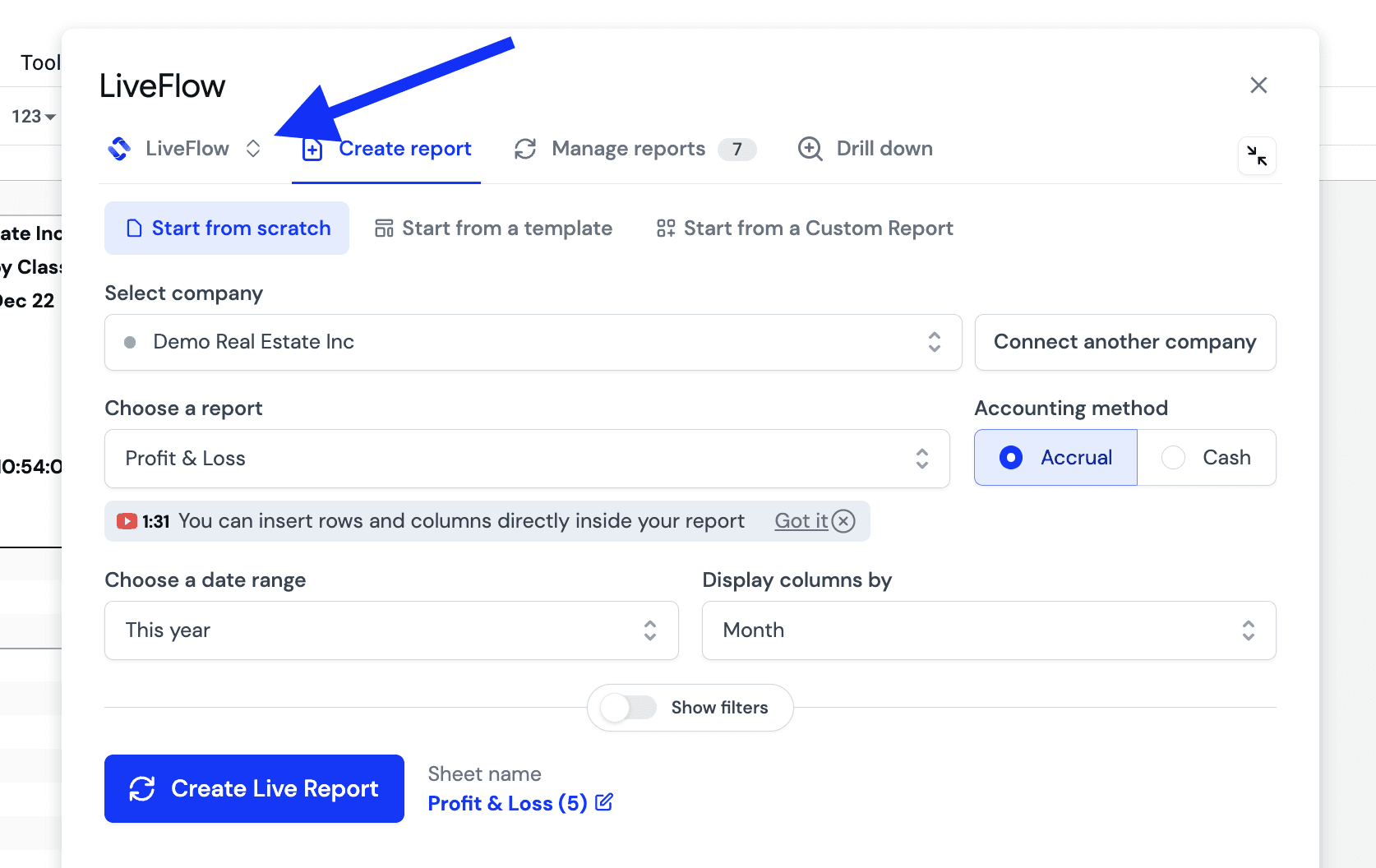
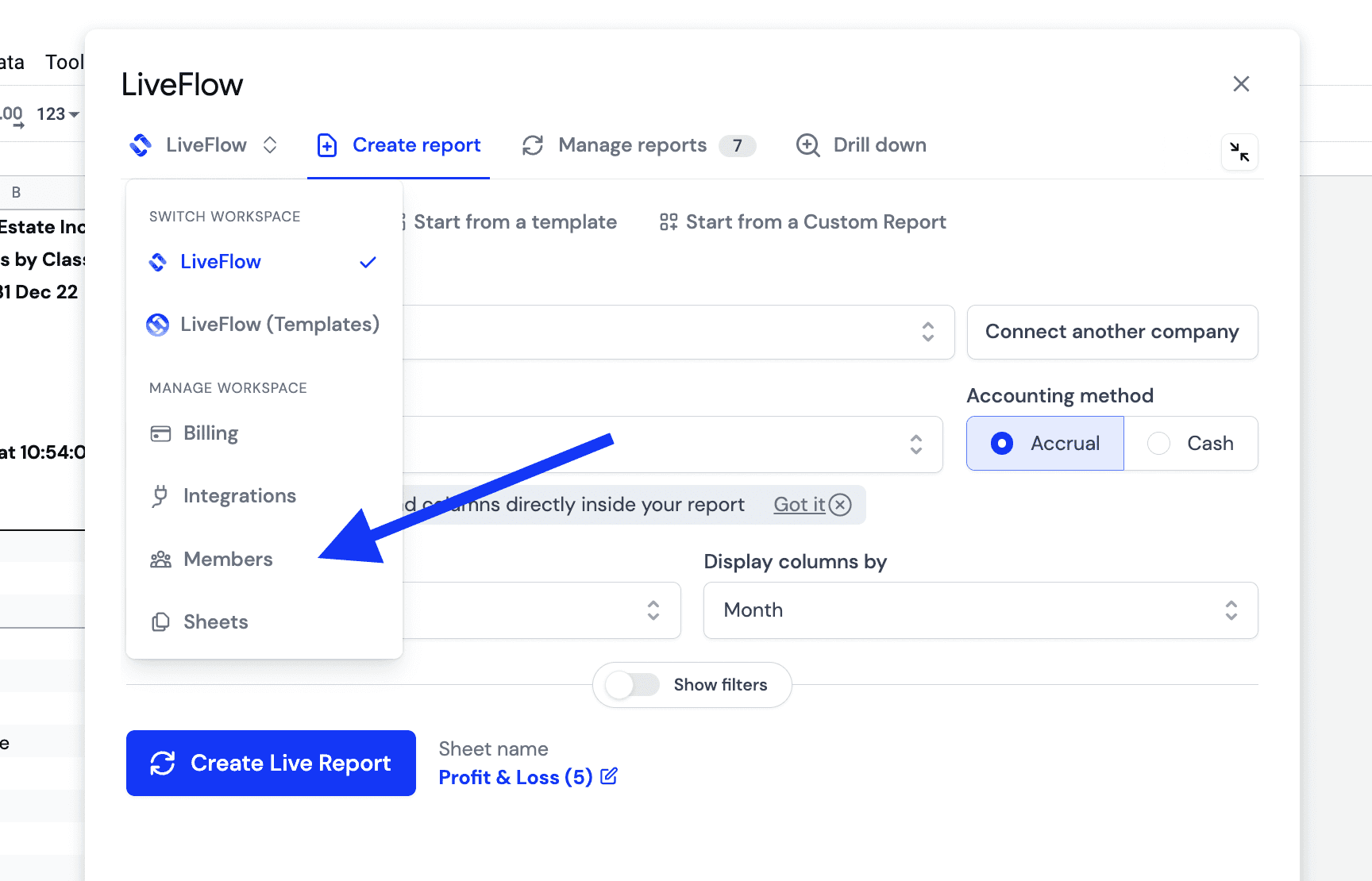
2 - Click on your Workspace icon
3 - Go to Members
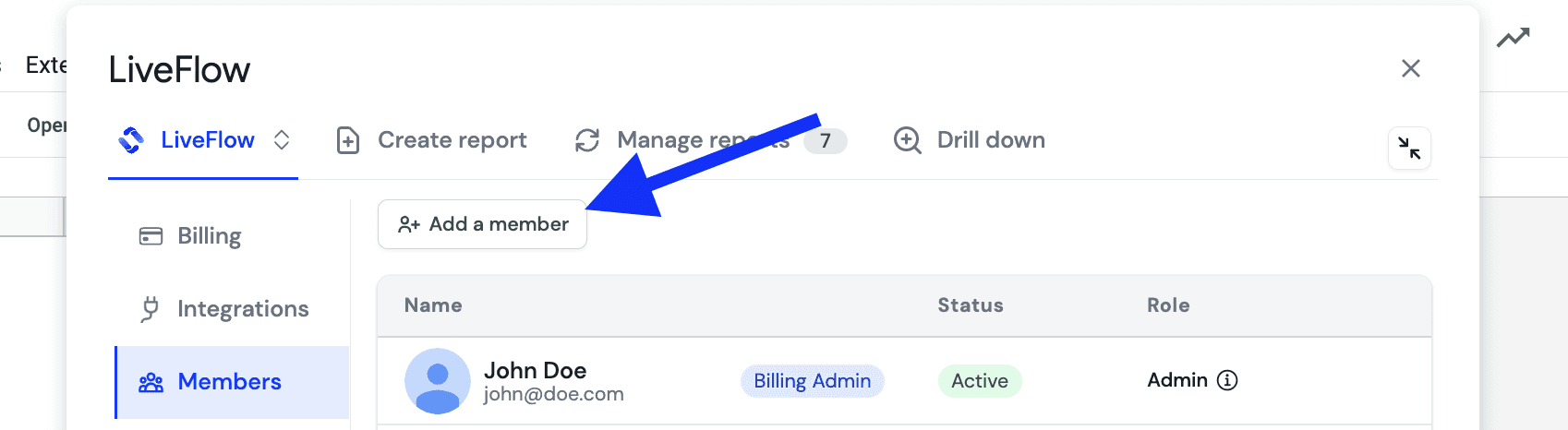
4. Click Add Member
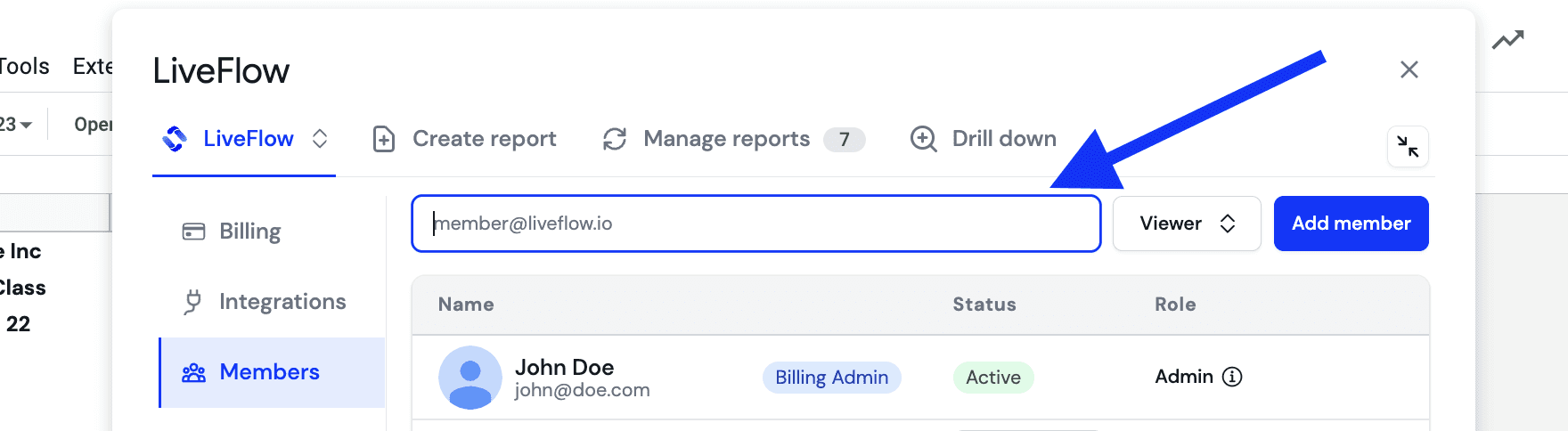
5. Insert the email address of the person you'd like to invite and choose the appropriate access level. Learn more about access levels here.
6. Your invitee will now receive an email with a link to set up LiveFlow
7. Once the invitee has signed up, they will be added to your workspace and you can manage their access level.
How do I manage my members?
Click on your workspace icon in LiveFlow
Go to Members
Here you have an overview of your members and their access levels
Supercharge your financial reporting